
You notice the fan racing while you are only checking emails, the base feels far too hot on your lap, and suddenly the question becomes very real – why is my Mac overheating? It is frustrating, especially when the machine has always been reliable, and it can be worrying if you depend on it for work, school, or keeping family photos and documents organised. The good news is that overheating is often caused by something practical and fixable rather than a ruined Mac.
Why is my Mac overheating during normal use?
A Mac will always generate some heat. That is completely normal. What is not normal is excessive heat during light tasks, repeated fan noise, sluggish performance, or the machine becoming too hot to use comfortably.
In many cases, the issue is not one single fault but a combination of factors. A browser with too many tabs open, a background process stuck in a loop, dust blocking airflow, an ageing battery, or software that no longer behaves properly can all push temperatures up. On older Intel Macs, this tends to be more noticeable because they rely more heavily on fans and often run hotter under load than Apple Silicon models.
The pattern matters. If your Mac only gets hot while editing video, exporting large files, or joining long video meetings, that points to heavy workload. If it overheats while doing very little, there is usually something else going on behind the scenes.
The most common reasons a Mac runs too hot
One of the biggest causes is background activity. A Mac can look idle on the surface while hidden processes are working hard underneath. Photo syncing, Spotlight indexing, cloud backups, software updates, antivirus scans, and misbehaving apps can all drive the processor hard enough to create a lot of heat.
Browsers are another frequent culprit. It is very common to see a MacBook getting hot because dozens of tabs are open, several websites are running video or adverts, and extensions are using more memory than expected. This does not always feel like demanding work, but to the Mac it can be.
Ventilation is also a major factor. If a MacBook is used on a duvet, sofa, carpet, or even on your lap for long periods, the air vents can be partly blocked. Heat builds up quickly when the machine cannot pull in cool air and push warm air out properly. Desks and tables are much better because they allow the base to breathe.
Dust and fluff can make things worse over time. This is especially common in homes with pets, or in busy offices where a machine has sat running for years. Dust inside the cooling system reduces airflow and makes the fans less effective. The Mac then has to work harder to keep itself cool.
Battery health can play a part too. A failing or swollen battery can create extra heat and should never be ignored. Equally, some charging habits can make a machine feel hotter, especially during heavy use while plugged in.
Then there is software. Sometimes a macOS update settles down after a day or two, but sometimes a buggy app or outdated login item causes constant processor usage. If the fans never seem to stop, software is often worth checking before assuming it is a hardware failure.
How to tell what is making your Mac hot
The quickest place to start is Activity Monitor. Open it and look at the CPU tab. If one app or process is using a very high percentage for a long time, that is often your answer. You may see a browser tab, a syncing service, a backup tool, or something less obvious running wild in the background.
It is also worth asking a few simple questions. Is the Mac overheating only when charging? Only during video calls? Only in warm weather? Only after an update? These details help narrow the cause quite quickly.
For home users, the most common pattern is a combination of browser load, lack of airflow, and too many things launching automatically. For small businesses, video meetings, cloud storage syncing, external displays, and multiple office apps open together often explain the extra heat.
What you can do straight away
If your Mac is getting too hot, start with the simple fixes. Shut it down fully for a few minutes, then restart it. Quit apps you are not using. Reduce the number of browser tabs open. Move the Mac to a hard, flat surface. Unplug unnecessary accessories. If the room itself is very warm, that also matters more than many people realise.
Check for macOS and app updates, but be sensible about timing. Updates can temporarily increase background activity just after installation, so a machine may run hotter for a short period while it reindexes files or resyncs data.
If you use Chrome or another demanding browser, try switching tasks to Safari for a while and see if temperatures improve. That simple test often tells you whether the issue is browser-related.
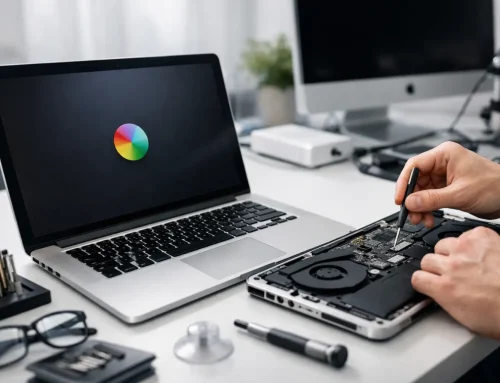
For laptops, inspect the vents and hinges for visible dust. Do not poke metal tools inside, and do not try a full internal clean unless you know exactly what you are doing. A well-meaning DIY clean can easily cause more trouble than the dust did.
Why is my Mac overheating and slowing down?
Heat and performance are closely linked. When a Mac gets too hot, it protects itself by reducing speed. This is called thermal throttling. In plain English, the Mac deliberately slows down so it does not cook its own components.
That is why overheating often shows up as spinning beachballs, laggy typing, delayed app switching, or poor performance during video calls. People sometimes think the Mac is simply old, when in fact it is being held back by temperature.
There is a trade-off here. A Mac under real pressure will get warm, and some slowdown during very heavy workloads can be normal. But if ordinary office work, web browsing, or email makes the machine struggle, there is likely an underlying issue worth sorting.
When overheating points to a hardware problem
Not every overheating issue is just a software tidy-up. If the fans are unusually loud all the time, the Mac smells hot, shuts down unexpectedly, reports battery service warnings, or becomes very hot in one specific area, hardware may be involved.
Common examples include failing fans, dried-out thermal paste in older machines, battery problems, sensor faults, or internal dust build-up that needs proper cleaning. On desktops such as iMacs, placement matters as well. If the rear ventilation area is tight against a wall or surrounded by clutter, heat has nowhere sensible to go.
This is where guessing can get expensive. A Mac that repeatedly overheats should not be left to carry on for weeks, especially if it is vital for business use. Ongoing high temperatures can shorten the life of batteries and internal components.
What not to do
Try not to install random “cleaner” or fan-control utilities just because they promise a quick fix. Some are helpful in the right hands, but others add confusion, create extra background load, or mask the real problem rather than solving it.
It is also best not to ignore the issue because the Mac still turns on. Many people put up with heat and fan noise for months until the machine starts crashing or the battery deteriorates. Early diagnosis is usually simpler and cheaper than leaving it until there is a bigger repair to deal with.
And while internet advice can be useful, overheating is one of those problems where context matters. A five-year-old Intel MacBook used daily for bookkeeping and Zoom calls needs a different approach from a new MacBook Air used mainly for family photos and web browsing.
When to get expert help
If you have already restarted, reduced app load, checked Activity Monitor, improved airflow, and updated your software but the Mac still runs too hot, it is time for a proper look. The same applies if the machine is slowing down badly, the battery is suspect, or the fans sound wrong.
For many people, the real value is not just fixing the heat issue but understanding why it happened in the first place. That might mean identifying a failing part, removing troublesome software, improving the setup at home or in the office, or deciding whether an upgrade makes more sense than a repair. A local service such as North Dorset Mac Man can often sort that out in plain English, without the usual call-centre script or guesswork.
A hot Mac does not always mean a serious fault. Sometimes it is a blocked vent, a runaway browser tab, or a machine working harder than it should because no one has looked under the bonnet in years. But if your Mac is constantly too hot, noisy, or slow, it is worth paying attention now rather than waiting for a small problem to become a dead computer on a busy day.